
Timesheet software · Job time trackingHours on every job, logged in seconds.
Technicians, consultants and staff log their hours from their phone in a few taps. You see job costs, progress and margins in real time, without spreadsheets.
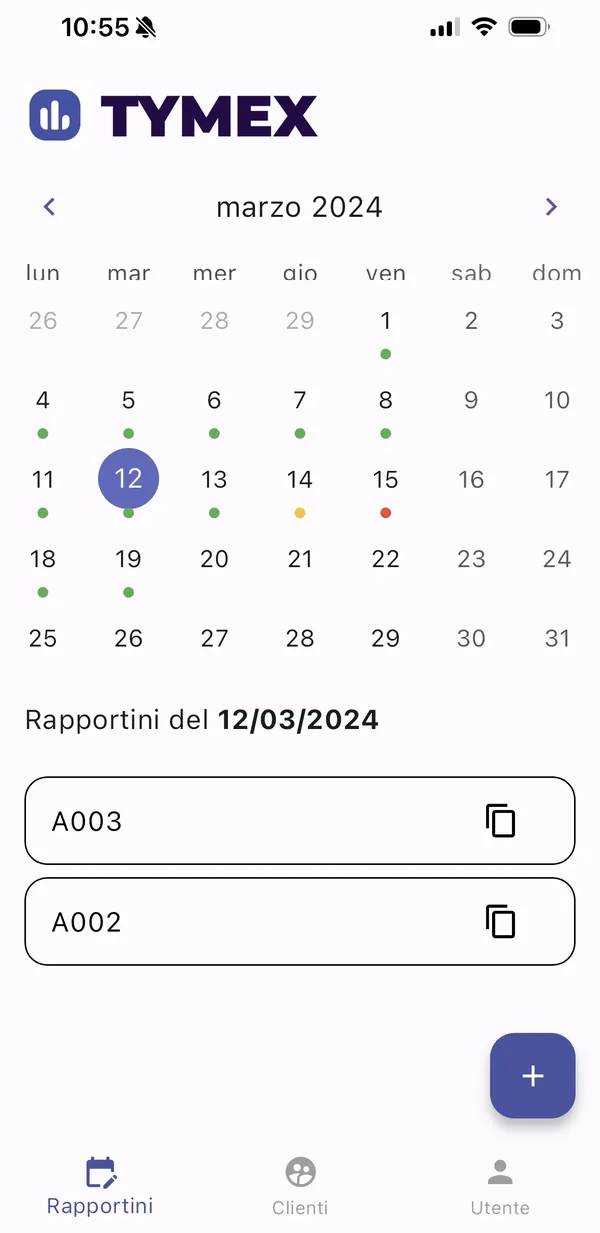
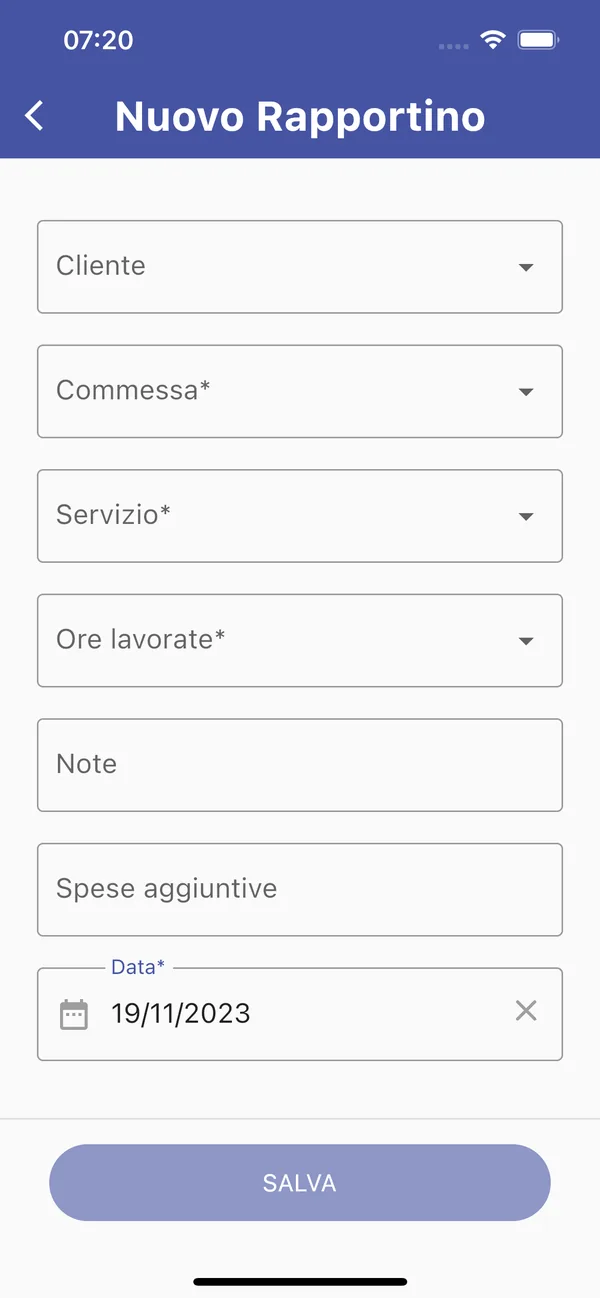
Fast
A timesheet entry takes a few taps: customer, job, service, hours. Next day, duplicate it with one tap.
Simple
The calendar shows at a glance which days are complete and which are missing. No training needed: it works like any other app.
Anywhere
iPhone and Android apps for people in the field, a web app for the office. Data reaches the people who check it straight away.
From set-up to job control, in four steps.
Activate the platform
We configure Tymex for your company: it's up and running within 3 days of your order.
Add your people
Enter staff, customers, jobs and services, or import them from your ERP.
Collect hours
Everyone logs their own work from the app or the web, with checks that prevent errors and incomplete days.
Control your jobs
Approve timesheets, export data and follow progress and margins on the dashboards.
Everything you need to track time. Nothing more.
Tymex does one thing and does it well: it collects hours and activities in an orderly way, so whoever controls the jobs has reliable, up-to-date data.
Internal and job hours
Log actual hours with customer, job and type of activity.
Calendar reconciliation
Consistency checks between hours worked and scheduled hours, day by day.
Duplicate entries
Copy recurring activities with one tap, even from the app.
Approval and locking
Approval status always visible, and edits can be locked up to a date.
Roles and permissions
Admins, managers, team leads who log time for their team, staff.
CSV export
Export timesheets, customers and jobs to your ERP or to Excel.
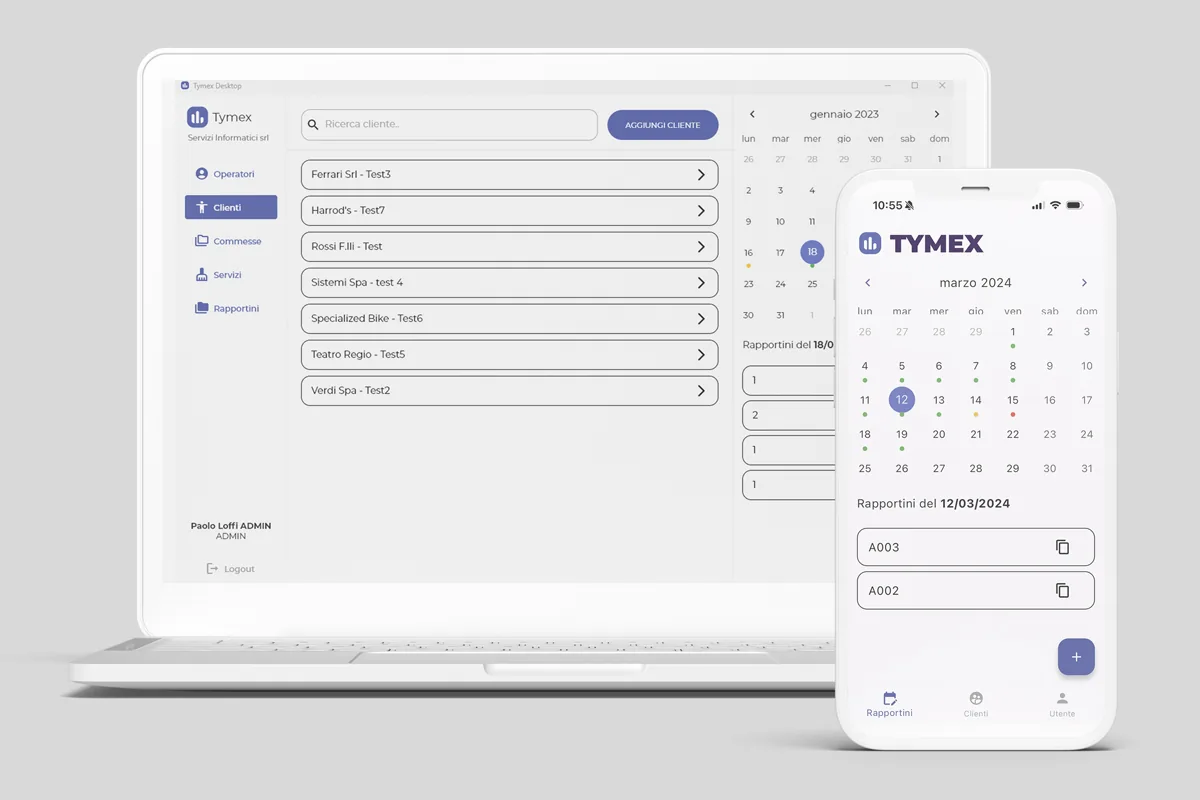
Same data, on phone and desktop.
People in the field use the iPhone or Android app. In the office, the web app at web.tymex.it needs no installation and runs on any Windows PC.
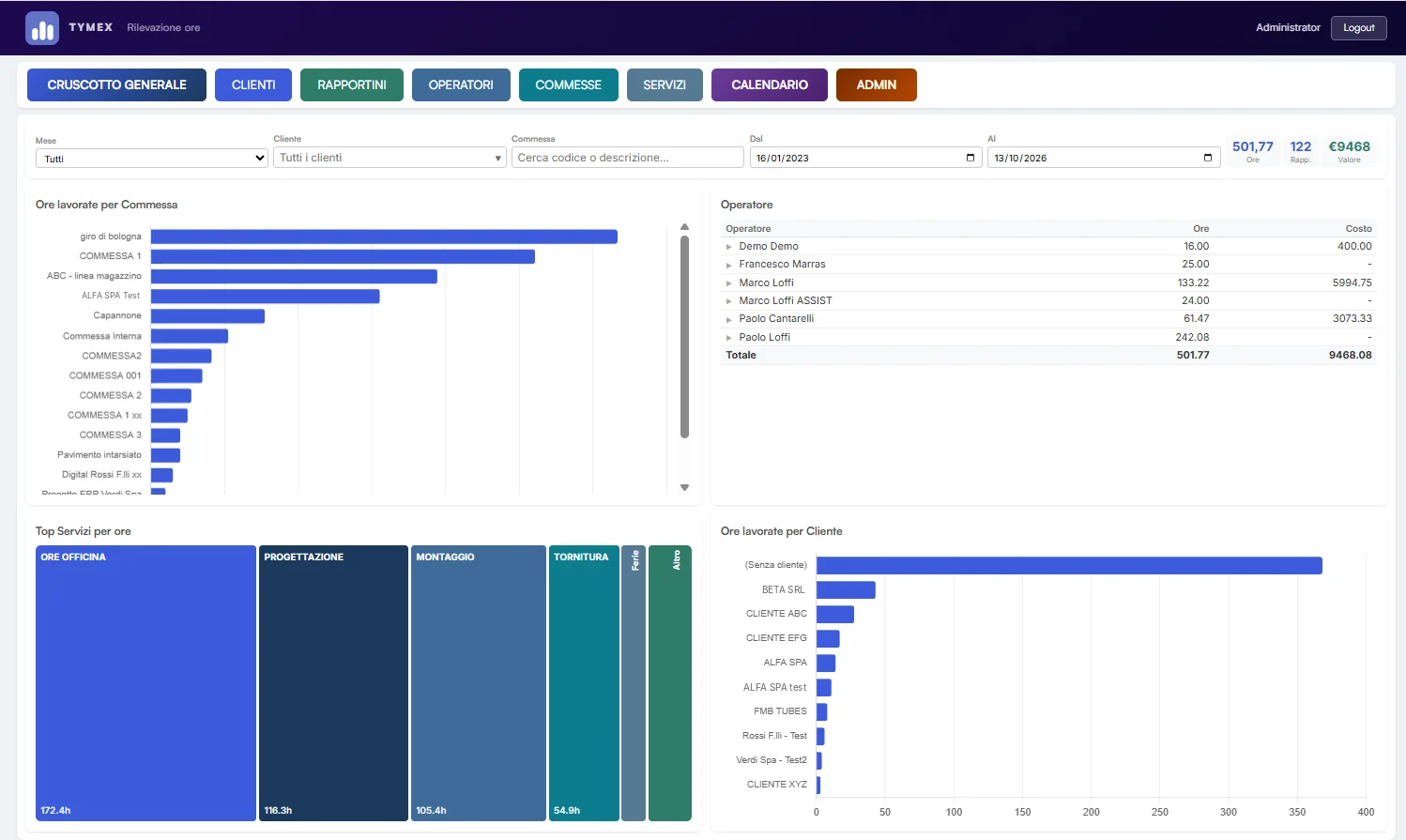
Web dashboards, always up to date.
The main dashboard shows hours by job, by customer, by person and by service, with costs worked out from each person's hourly rate. Filter by month, customer, job and period; each job's detail lists services, timesheets and totals, ready to export to Excel.
Built for businesses that work by the job.
Spreadsheet or Tymex?
A spreadsheet is fine to start with. As jobs and people grow, its limits show.
| — | Spreadsheet | Tymex |
|---|---|---|
| Data entry | Manual | Guided, from the app |
| Data | Spread across files | One central database |
| Errors | Frequent | Automatic checks |
| Updates | Delayed | Real time |
| Analysis | Manual | Dashboards and reports |
| In the field | Awkward | Native app |
Is Tymex right for you?
Here's what Tymex can do for you
Works on its own. And, if you like, talks to your ERP.
Tymex is complete on its own, on web and app. When needed, it connects to your business software via API to sync customers, jobs and staff and send hours to cost accounting. An integration with eSOLVER by Sistemi Spa is already available.
See Tymex at work.
Three short videos (in Italian): how much time paper timesheets cost, how to fill one in with three taps, and how many hours you save.
Quante ore perdi con i rapportini cartacei? (1/3)
Rapportini di lavoro in 3 gesti (2/3)
84 ore risparmiate sui rapportini? Ecco il calcolo (3/3)
The answers you're looking for.
What is Tymex?
How long does it take to get started?
Can technicians in the field use it?
Do I need an ERP to use it?
Which devices does it run on?
How do you calculate a job's margin?
See Tymex in action.
A free 30-minute demo based on your real cases. Fill in the form and we'll get back to you to set a date and time.